Senior Product Designer. Problem solver. Handmade artist.
4+ years in SaaS & B2B. I design for scale, accessibility, and real human needs.
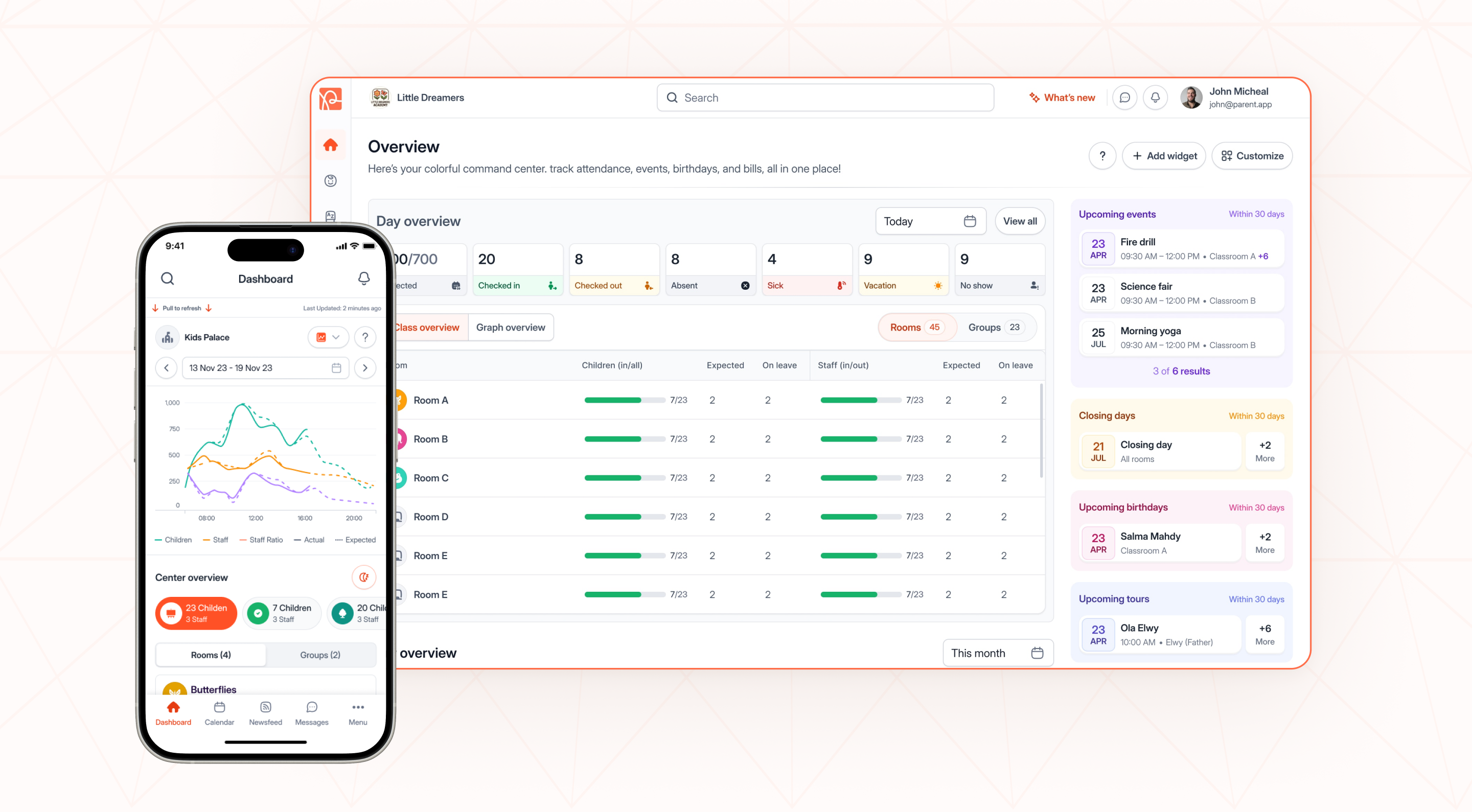
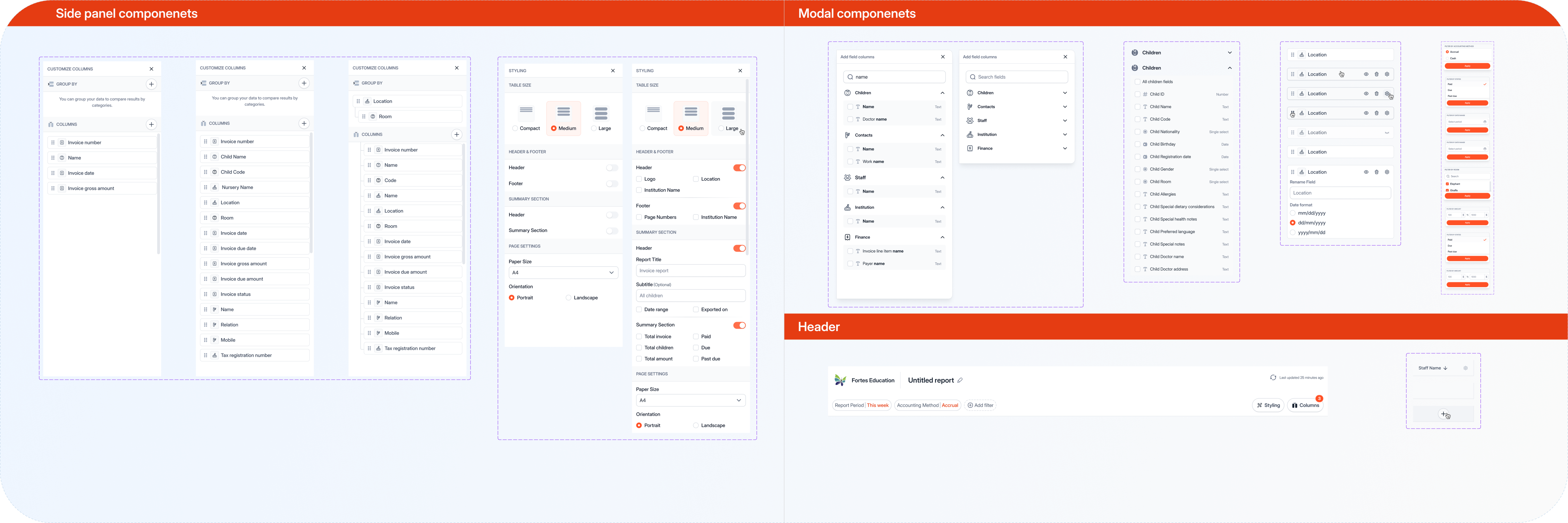
Designing for administrators, teachers, and parents - each with completely different needs. 12+ core modules across Canada, Europe & the Middle East. 100+ local components, saving teams hundreds of hours.
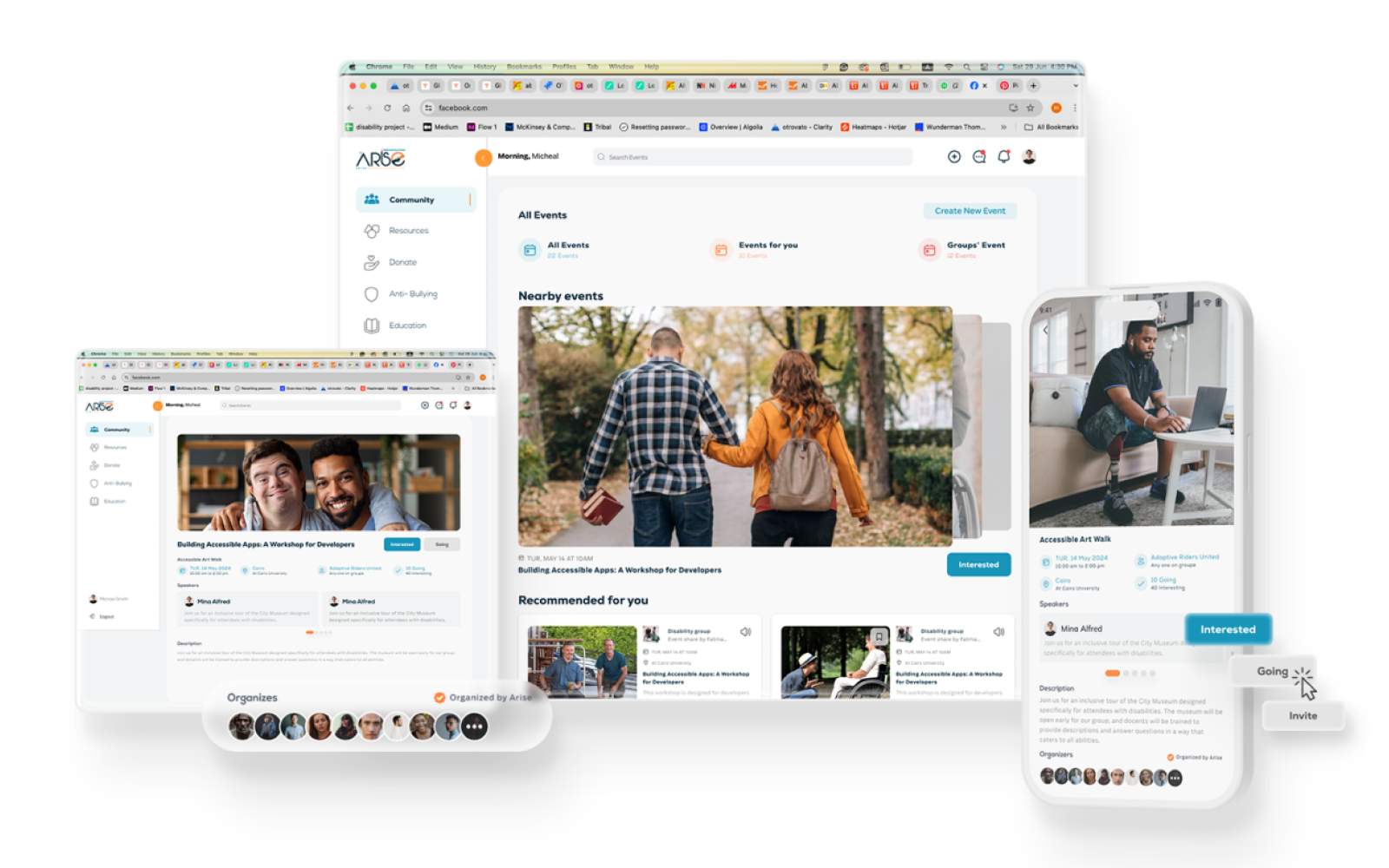
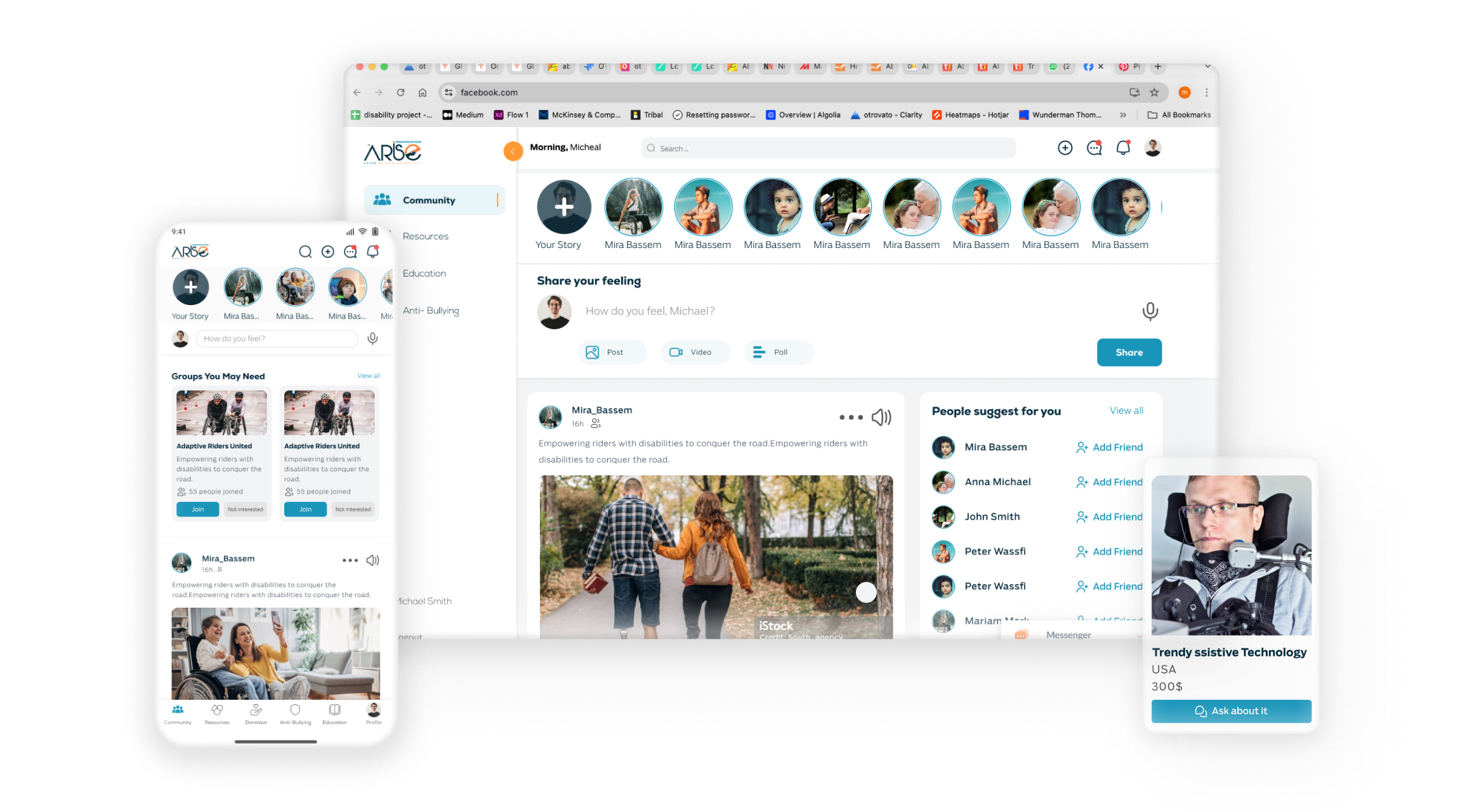
A safe social home for people with disabilities - from research to UAT. 100+ components built from scratch. Voice-to-text, anti-bullying tools, and a full resource hub shipped end-to-end.
✦ +15 more projects across web and mobile apps
I build design systems from scratch and extend existing ones with local components. Consistency at scale.
I'm a Product Designer. I love solving problems that look impossible at first - the kind where users are frustrated and stakeholders are lost.
I don't just design screens. I design processes, systems, and handoffs. I make sure developers have everything they need, and that users get something that actually works.
When I'm not designing, I'm probably making handmade crafts - leather lamps, mixed media art - or reading about typography.

An all-in-one cloud platform connecting nurseries, educators, and families. It covers everything from enrollment and billing to child development tracking. My role: Senior Product Designer with end-to-end ownership across 6 modules.
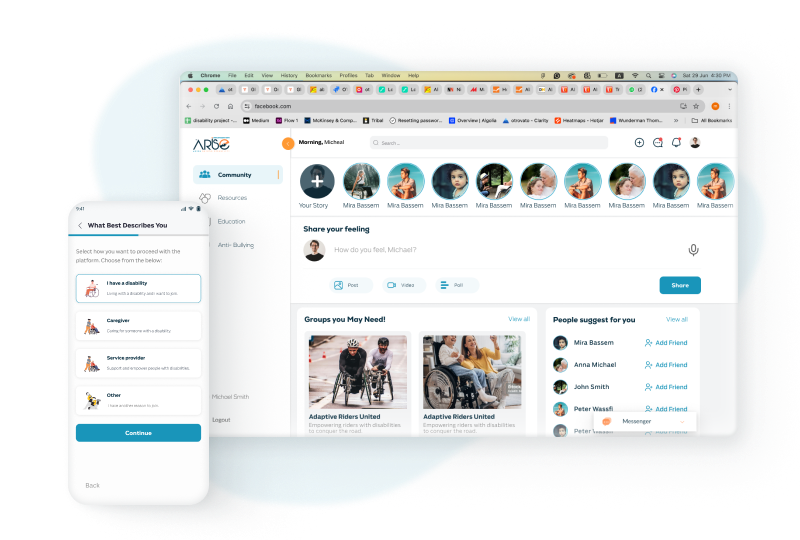
A safe, inclusive social ecosystem for people with disabilities. Built end-to-end, from the first user interview to developer handoff.
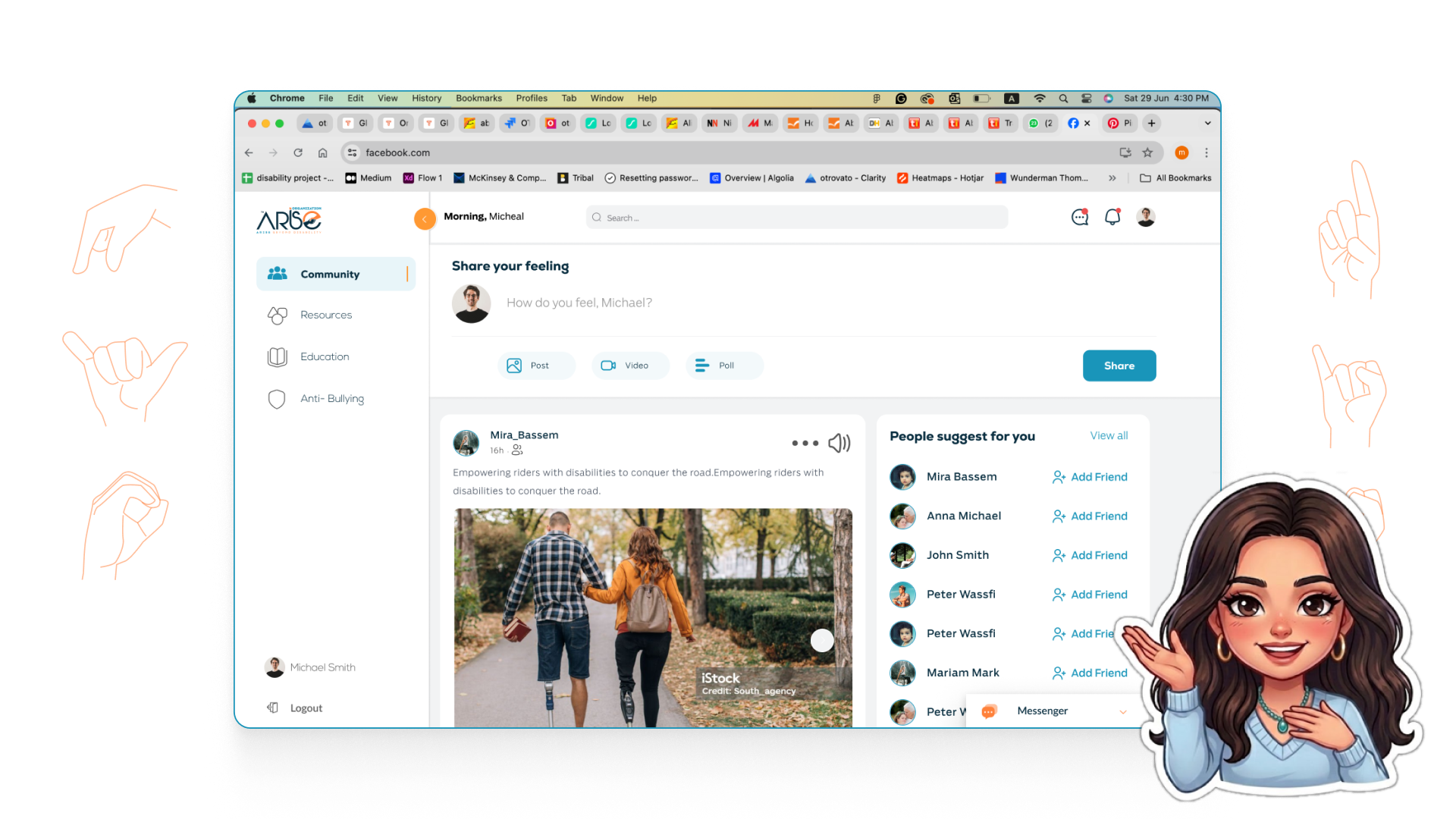
Arise is a pioneering social and professional network built for people with disabilities and their caregivers. It moves beyond traditional social media to create a "barrier-free" digital ecosystem where users can connect, find specialized resources, and access life-changing opportunities, all within an environment built on safety and mutual respect.
The platform pairs community building with a dedicated Resource Hub that gives users direct access to discounted medical supplies, life coaches, doctors, and an assistive device marketplace.

Through user research and empathy mapping, three critical pain points came up again and again, each one blocking real human connection for millions of people.
Every component was designed accessibility-first: large touch targets, screen reader annotations, high contrast modes, and LTR/RTL support baked in from day one.
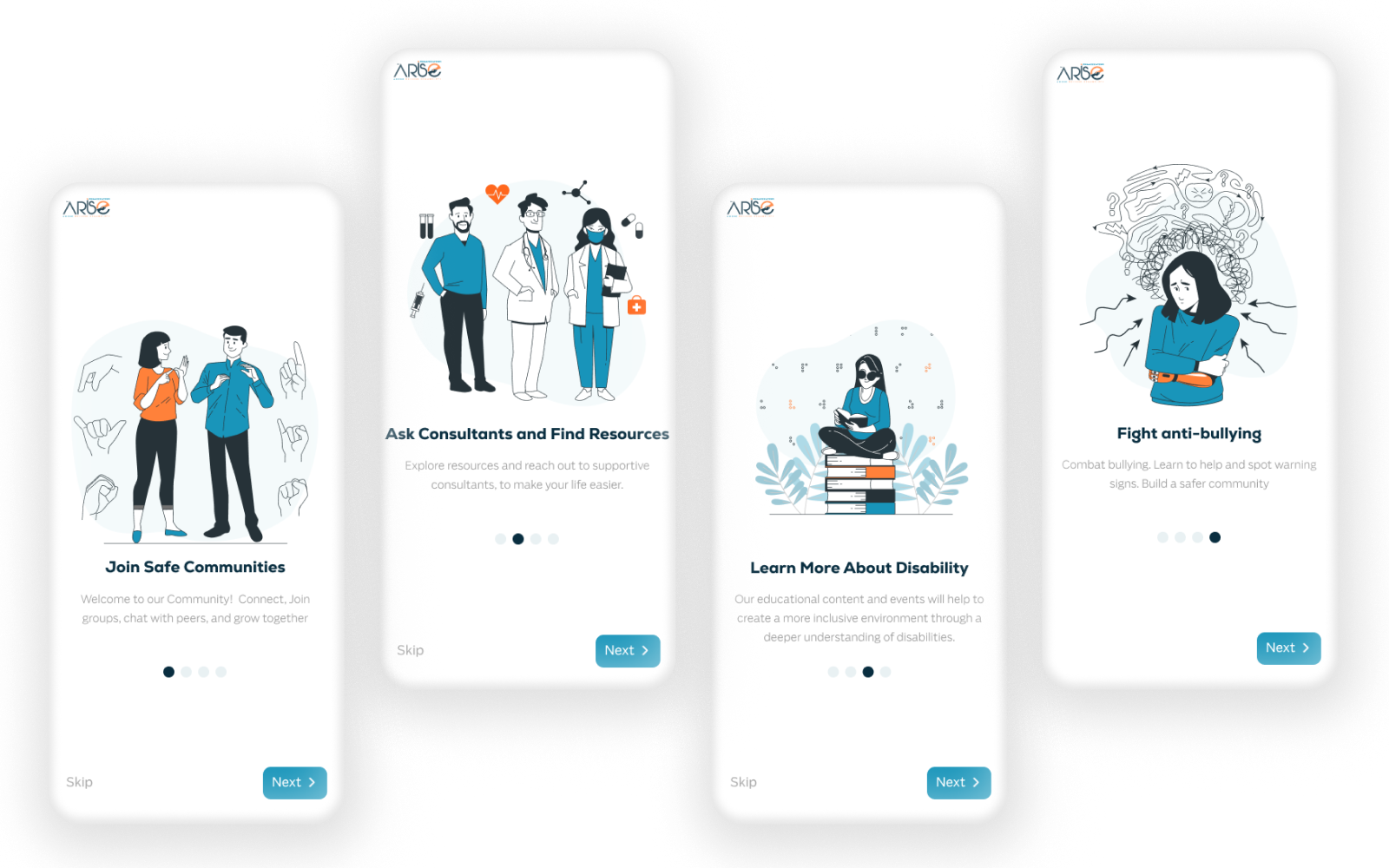
Each onboarding card introduces one core value: Join Safe Communities → Ask Consultants → Learn About Disability → Fight Anti-Bullying. Simple illustrations, clear language, Skip always visible.
The progression is deliberate. It builds trust before asking for any personal information.


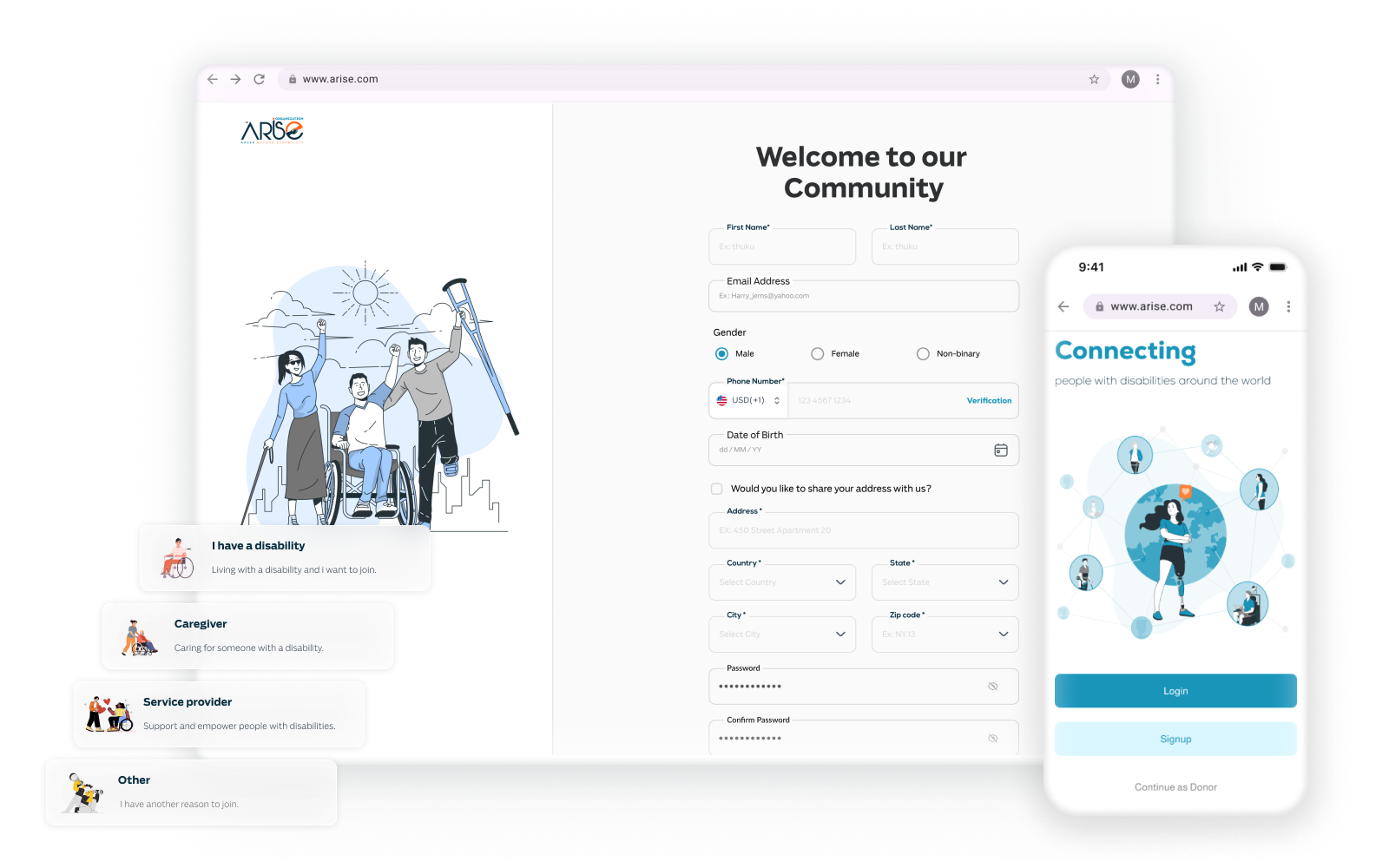
Biometric login (Face ID / fingerprint) is offered first - for many users with motor impairments, typing a password is genuinely hard. Social login via Google and Facebook reduces the typing burden further.
The sign-up form collects only what's necessary. Optional fields are clearly marked. The welcome screen confirms identity warmly: "Your answers help us give you the best experience."
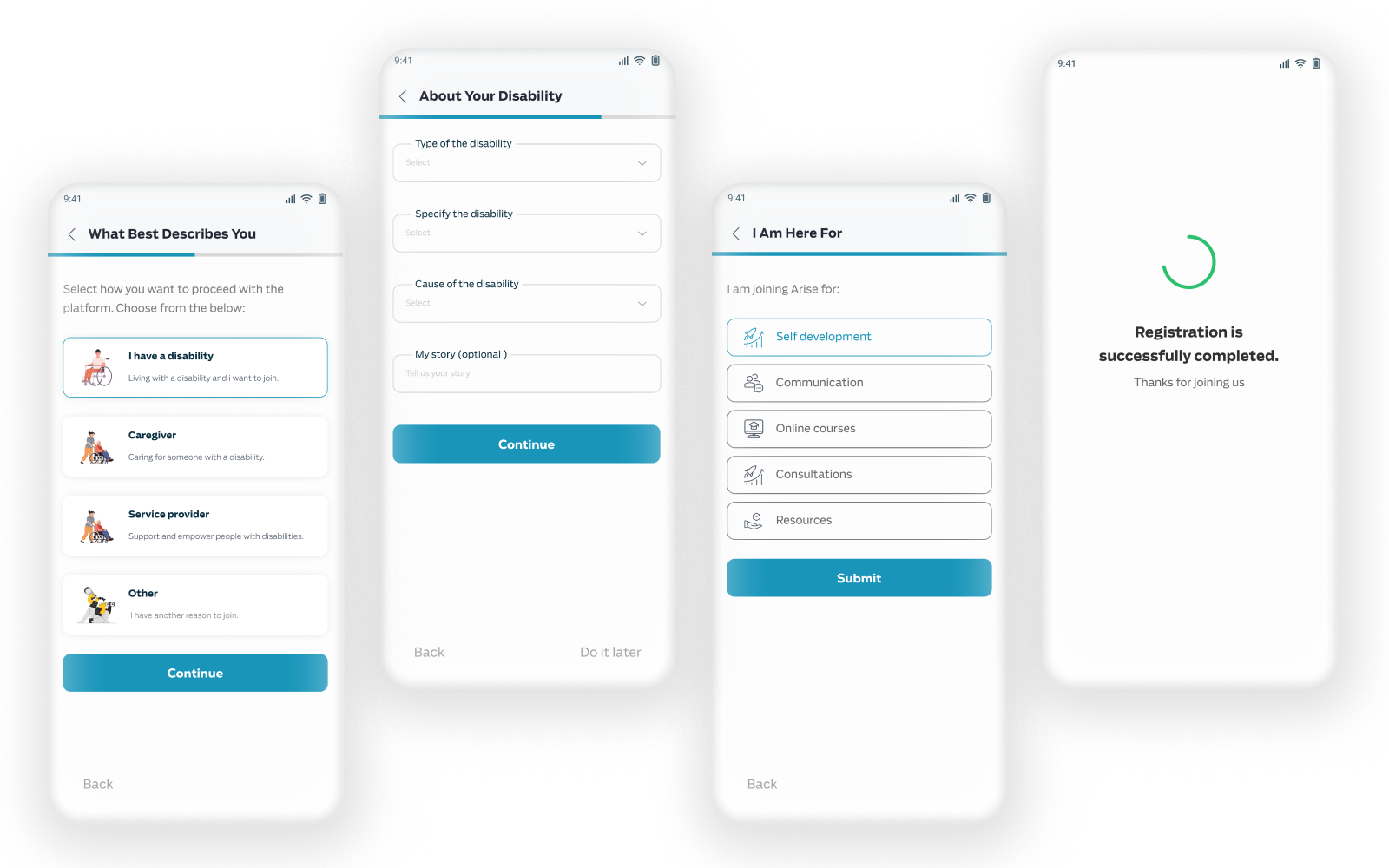
After basic sign-up, users can optionally share their disability type and preferences. This personalizes the experience (recommending relevant groups, resources, and consultants), but it's never required or intrusive.
Voice input is available on every field. Progress indicators are subtle, never pressure-inducing.


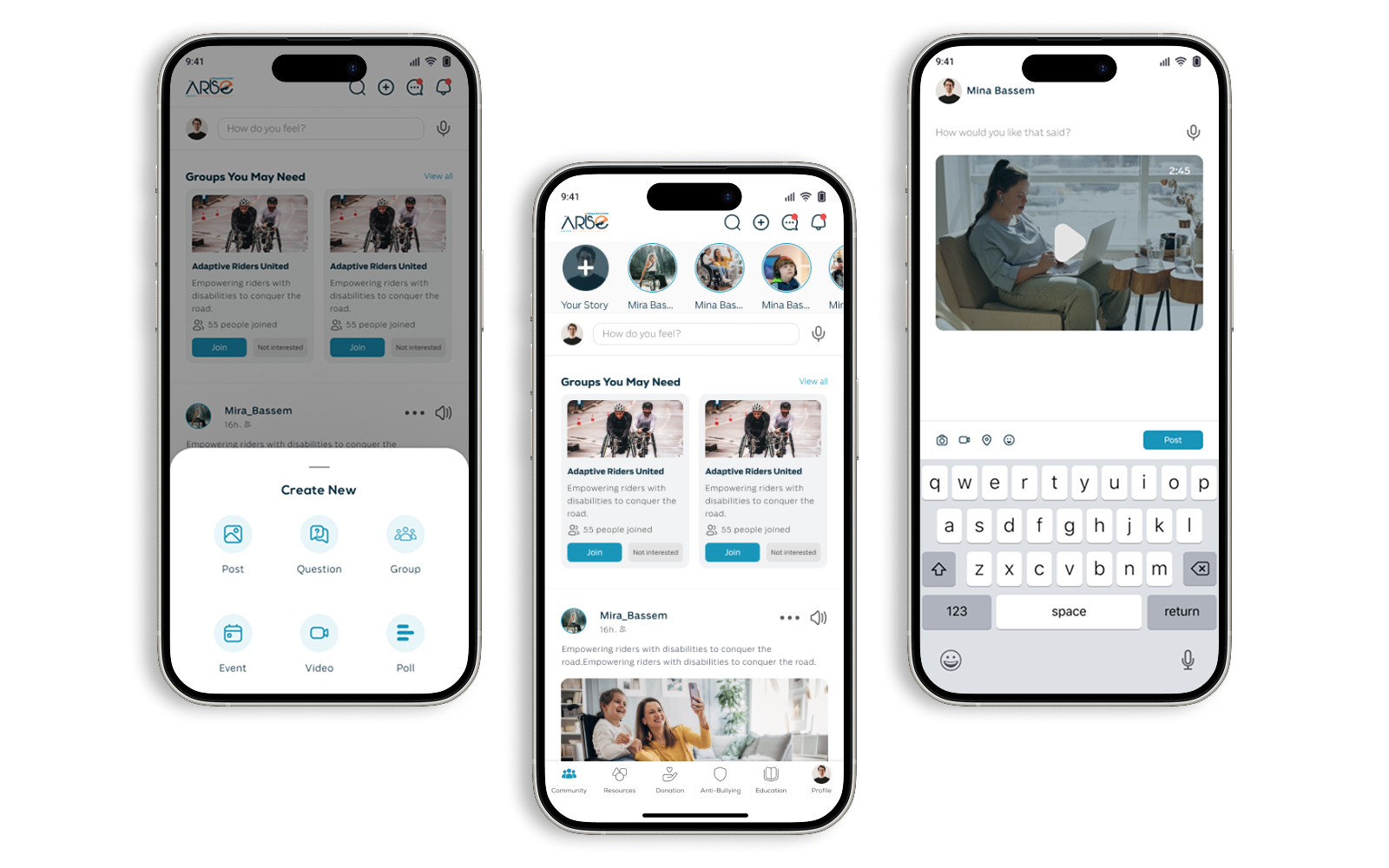
The home feed puts community front and center - stories, posts, group recommendations, and a voice-enabled post box. Everything a user needs to connect is one tap away.
The "Create New" bottom sheet gives six clear options - Post, Question, Group, Event, Video, Poll - reducing decision fatigue with icons and short labels. The microphone on the post input is a core accessibility decision.
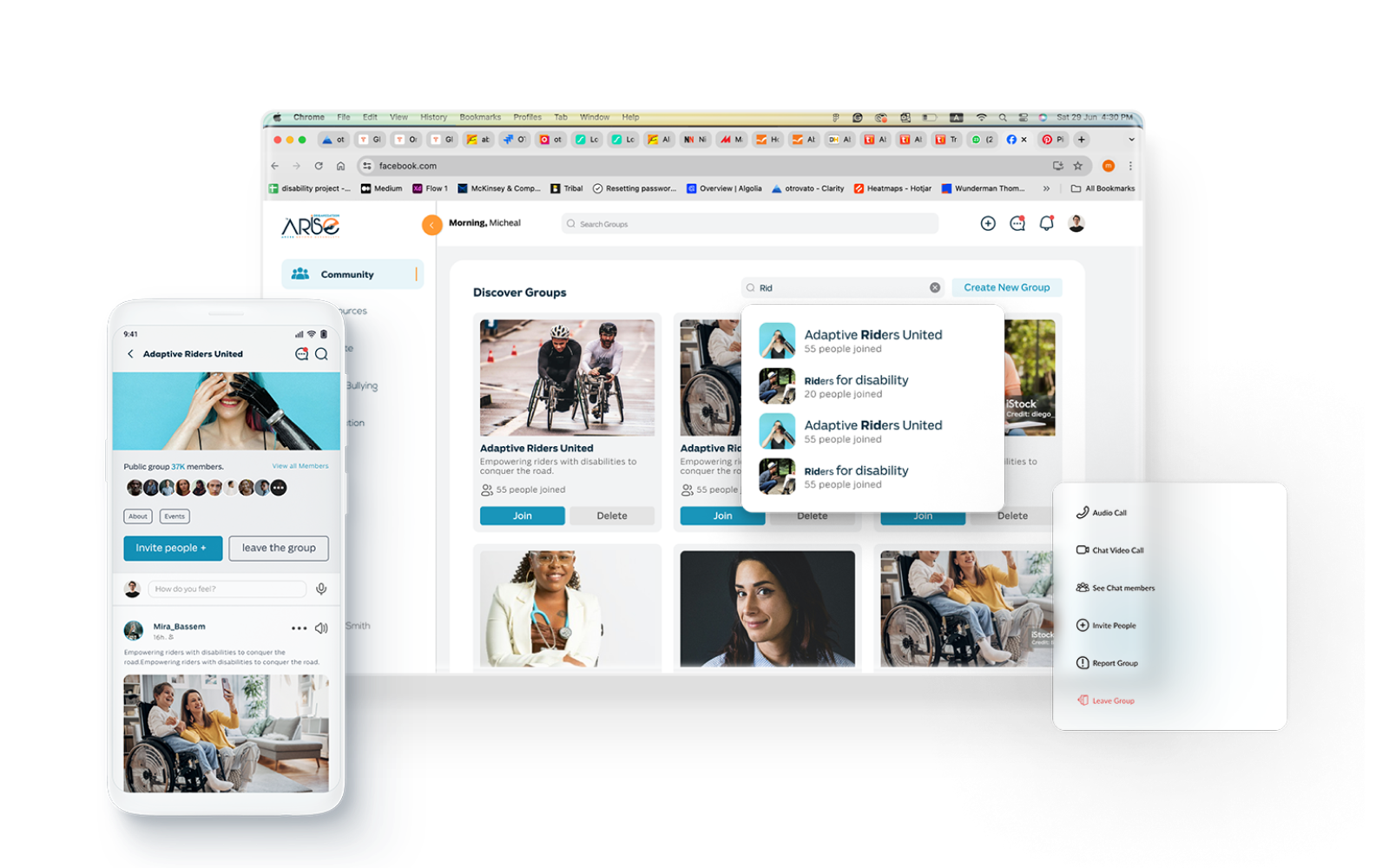
Users discover groups by interest or disability type, join with one tap, and participate in real-time discussions. The web version shows a rich "Discover Groups" layout with thumbnails and member counts.
The mobile group detail page shows full activity, member roster, and quick actions (Audio Call, Video Call, Invite People). The "Report Group" option is visible but not shoved in your face. Safety is built in, not hidden.


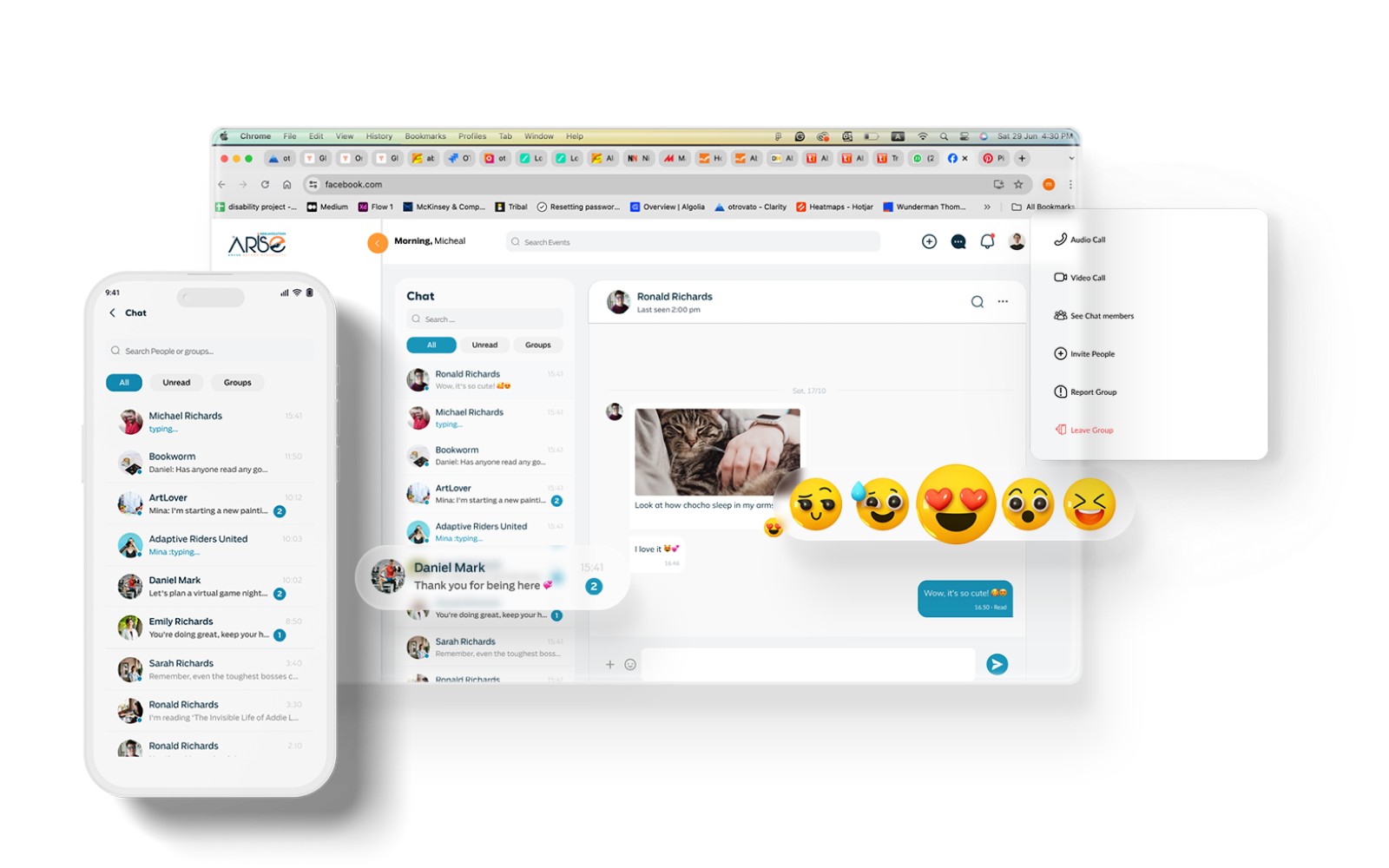
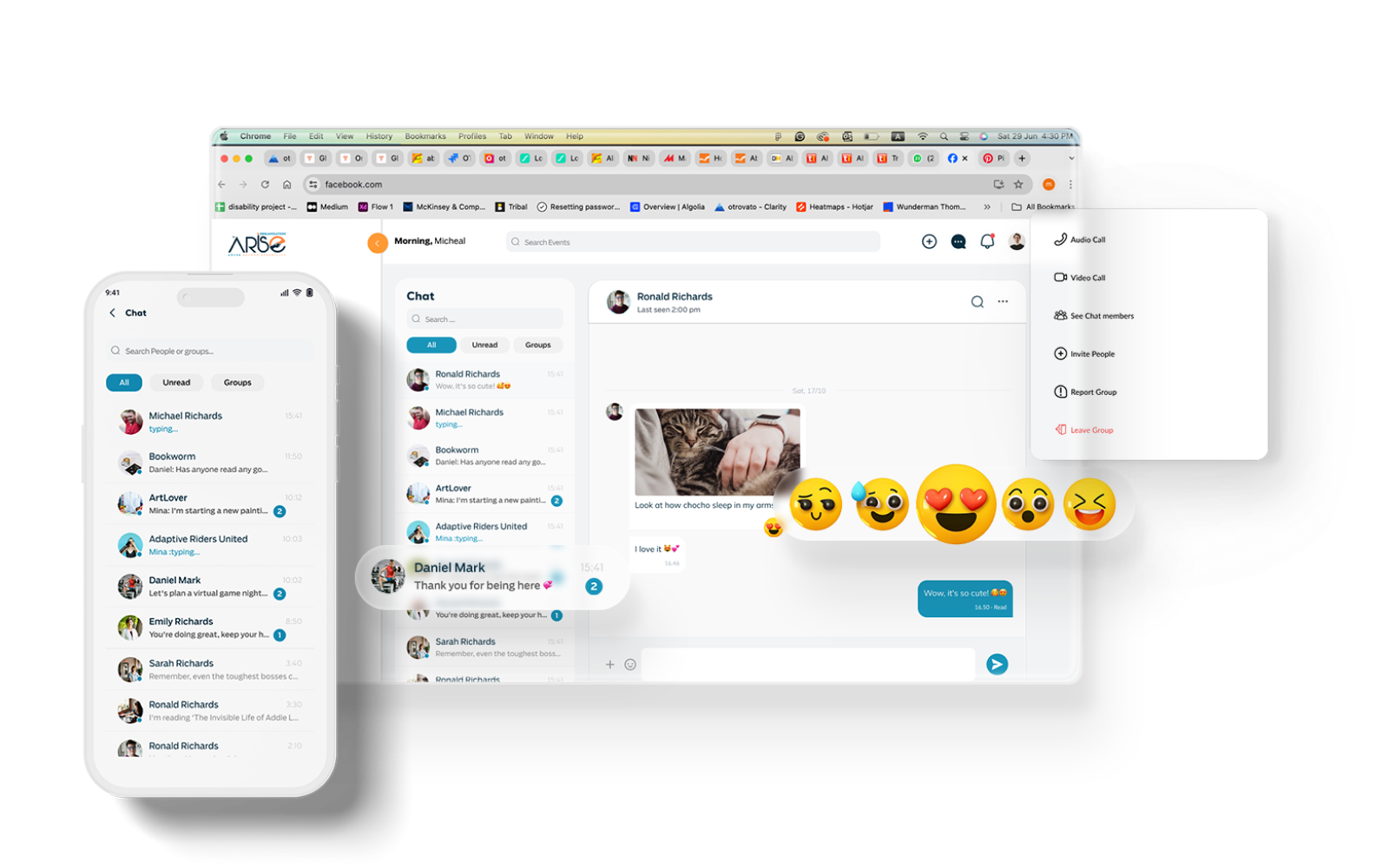
Private messages and group chats are real-time, accessible, and warm. The mobile list view is clean: avatar, name, last message preview, and unread count. The desktop view opens a full conversation with emoji reactions, voice messages, and accessibility shortcuts.
Emoji reactions reduce the need to type full responses, which matters a lot for users with motor impairments. The chat filter (All / Unread / Groups) reduces visual noise.
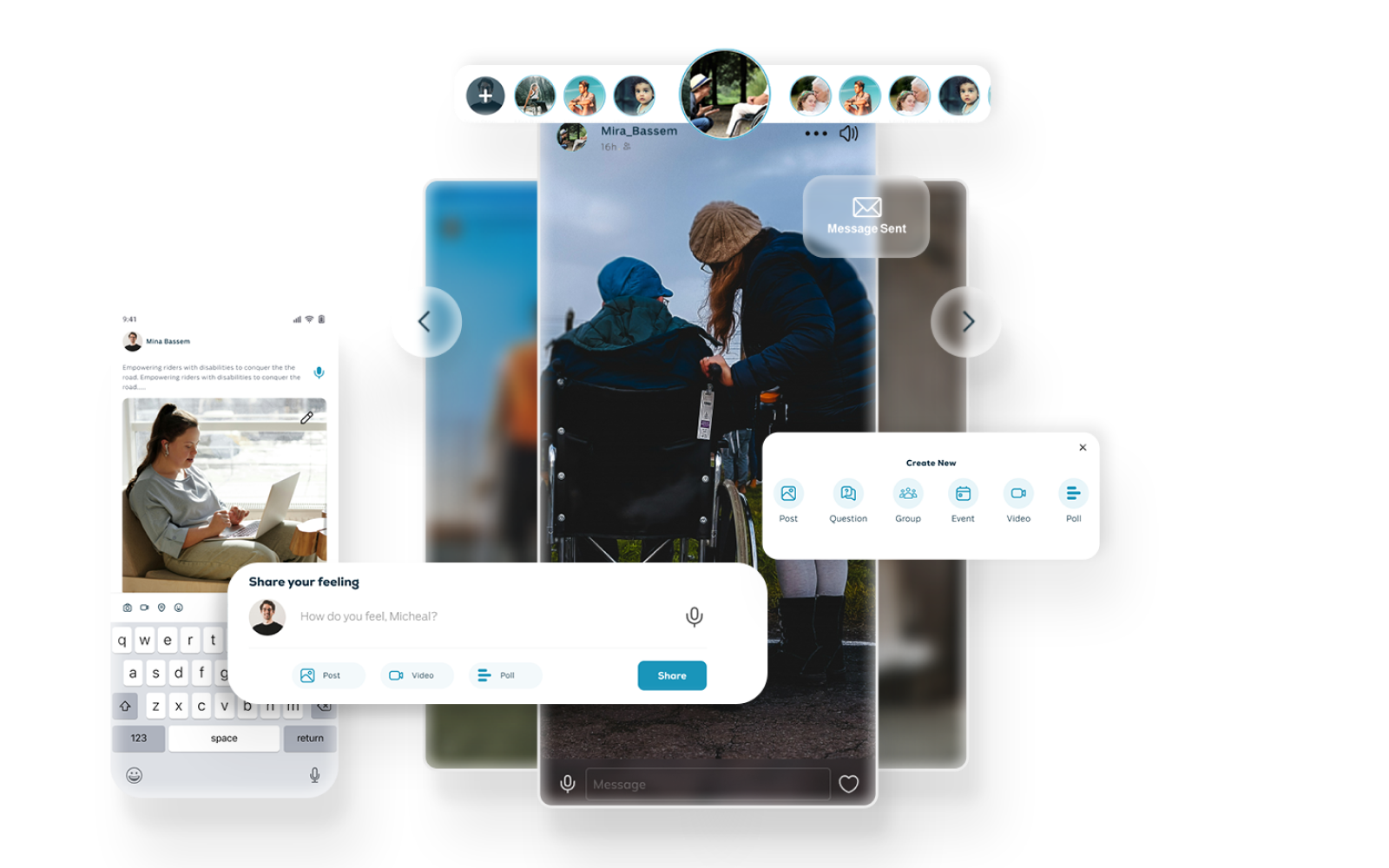
Stories let users share their journey and achievements in a familiar format, with accessibility baked in. Full-screen stories auto-advance but pause on tap. Voice narration can accompany any story.
The "Share your feeling" creation flow starts with a voice-first prompt: "How do you feel?" This brings the typing barrier down to zero. The story viewer includes a direct message button with immediate visible confirmation.


Events are organized by "All Events," "Events for You," and "Groups' Events," so personalized discovery is effortless. Each event detail page shows speakers, organizers, attendee count, and a clear "Interested / Going" RSVP flow.
Verified consultants, life coaches, and medical professionals. Each profile shows specialization, an About section, and community reviews.
The review flow is deliberately simple: "Is it helpful for you?" Just a star rating and a short text field. Confirmation is warm and immediate. Real community reviews appear directly on the profile card.

"Safety isn't a feature. It's the foundation everything else is built on."
Tested with real users with disabilities across multiple sessions. Handoff included component specs, responsive breakpoints, accessibility annotations (ARIA labels, focus order, contrast ratios), and RTL CSS for every component.
Open to full-time roles & remote opportunities.
I typically respond within 24 hours.